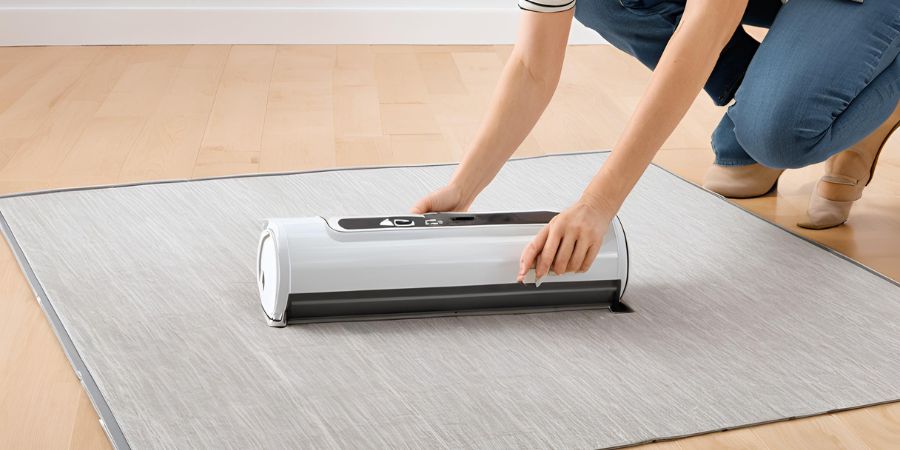
It’s one of the most frustrating moments in household cleaning: you’re making great progress with your Tineco vacuum or wet-dry cleaner, and suddenly it powers down without warning. If you’ve ever wondered, “Why does my Tineco keep shutting off?” you’re far from alone—this is a common issue reported by owners of popular models like the Pure One series, A11/A10, Floor One S5, S6, S7, and others.
The good news? In the vast majority of cases, unexpected shutdowns are caused by built-in safety features doing exactly what they’re designed to do: protect the motor, battery, and internal components from damage.
In this comprehensive guide, we’ll explain the most frequent reasons behind these sudden cut-offs, walk you through proven troubleshooting steps (starting with the quickest fixes), and share practical maintenance tips to keep your Tineco running smoothly for years. Let’s get your cleaner back to full performance—no guesswork required.
Understanding the Problem: Why Tineco Vacuums Shut Off Unexpectedly
Tineco vacuums are designed with safety features that cause them to shut off if something’s wrong. This protects the motor and battery from damage. But it can happen for simple reasons you can fix at home.
Think about it: Is your vacuum shutting off after just a few seconds, or does it run for a bit before stopping? Noting these details helps pinpoint the cause. Common models like the Tineco S3, S5, or Pure One series often show error lights or voice alerts when there’s an issue. For instance, a blinking red light might signal a low battery or blockage.
According to user reports on forums and support sites, shutdowns often stem from everyday wear and tear. Ignoring routine maintenance can lead to bigger problems. But don’t worry – most fixes are straightforward and don’t require a technician.
Common Reasons Why Your Tineco Vacuum Keeps Shutting Off
Let’s break down the top culprits. These are based on real user experiences and expert advice from troubleshooting guides. Understanding them is the first step to a quick resolution.
1. Battery-Related Issues
One of the most frequent reasons your Tineco shuts off is battery problems. Since most Tineco vacuums are cordless, they rely on rechargeable batteries. If the battery is low, faulty, or not charging properly, the vacuum will power down to save energy.
For example, if you’ve been using it on max mode for too long, the battery might drain faster than expected. Or, over time, batteries degrade and fail to hold a charge. Signs include the vacuum starting strong but shutting off after 10-20 seconds.
Another issue? Improper charging. Always use the original Tineco charger – third-party ones can cause inconsistencies. If the blue charging light doesn’t blink as it should, that’s a red flag.
2. Overheating Problems
Overheating is a built-in safety feature in Tineco vacuums. If the motor or battery gets too hot, the device shuts off to prevent damage. This can happen after extended use without breaks, especially on high power settings.
Blockages or dirty filters restrict airflow, making the motor work harder and heat up faster. Imagine vacuuming thick carpets full of pet hair – the strain adds up quickly.
In wet-dry models like the Floor One series, overheating might occur if you’re not running the self-clean cycle after use. Residual moisture can lead to motor lock-up.
3. Blockages and Clogs
Clogs are a vacuum’s worst enemy. Debris, hair, or dirt can build up in the brush roll, hose, or suction tube, blocking airflow. When this happens, the motor strains and shuts down.
Pet owners often deal with tangled hair in the roller brush. Or, if you’ve sucked up something large like a sock, it could jam the system. In wet-dry Tinecos, blockages in the water channels or brush can trigger shutdowns too.
Check for clogs if your vacuum shuts off mid-session but restarts after a pause. It’s the device’s way of saying, “Hey, clear me out!”
4. Dirty or Clogged Filters
Filters keep dust and allergens out of the air – and your motor. But if they’re dirty, they reduce suction and cause overheating. Tineco uses HEPA filters, pre-filters, and sometimes mesh ones.
A clogged filter forces the motor to overwork, leading to shutdowns. If you haven’t cleaned them in months, this could be why your Tineco keeps shutting off.
Wet-dry models have additional sensors in the dirty water tank (DWT). If they’re grimy, they might falsely detect issues and shut down the unit.
5. Full Dustbin or Dirty Water Tank
A full dustbin or DWT restricts airflow and causes strain. Tineco vacuums have sensors that detect when the bin is at capacity, prompting a shutdown.
In smart models, you might hear a voice alert like “Empty the dirty water tank.” Even if it looks empty, residue on sensors can trick the system.
This is especially common in high-traffic homes where the bin fills up fast.
6. Sensor Malfunctions
Tineco’s smart tech includes sensors for battery levels, airflow, temperature, and more. If one malfunctions, it can cause false shutdowns.
For instance, a dirty dust sensor might think there’s a blockage when there isn’t. Or, misalignment in the water tanks can trigger errors.
This is rarer but worth checking if other fixes don’t work.
7. Other Potential Causes
Less common issues include damaged power cords (for corded models), worn-out brushes, or even software glitches in app-connected Tinecos. If your vacuum is older than 2-3 years, parts might need replacing.
Environmental factors like high humidity can affect performance too.
Step-by-Step Troubleshooting Guide for Tineco Shutdowns
Ready to fix it? Follow these steps in order. Most users resolve the issue within 15-30 minutes.
Step 1: Check and Charge the Battery
Start simple. Plug in your Tineco and let it charge fully – usually 3-4 hours. Watch for the charging indicator.
If it doesn’t charge, try a different outlet or charger. Test the battery by swapping it if you have a spare. If the problem persists, the battery might need replacement. Tineco batteries cost around $50-80.
Step 2: Allow the Device to Cool Down
If overheating is suspected, unplug and let it sit for 30-60 minutes. This resets the thermal sensors.
Avoid using it in hot rooms or on max mode right away. Once cooled, test on a low setting.
Step 3: Empty the Dustbin or Dirty Water Tank
Remove the bin or DWT and empty it completely. Wipe sensors with a soft cloth. For wet-dry models, ensure the clean water tank is full and seated properly.
Run a self-clean cycle if your model has one – it flushes out residue.
Step 4: Clean the Filters
Detach all filters. Rinse washable ones under cool water (no soap unless specified). Let them air dry for 24 hours.
For HEPA filters, tap off dust or use a soft brush. Replace if they’re over 6-12 months old.
Never run the vacuum without filters – it can damage the motor.
Step 5: Clear Any Blockages
Flip the vacuum and remove the brush roll. Cut away tangled hair with scissors. Check the hose and tube for clogs – use a long tool like a broomstick to push out debris.
Inspect the suction inlet and motor area too. Reassemble and test.
Step 6: Reset the Vacuum
Some models have a reset button. Otherwise, unplug, remove the battery (if possible), wait 5 minutes, and reassemble.
This clears minor sensor glitches.
Step 7: Inspect for Damage
Look for cracks, frayed cords, or worn parts. If the motor smells burnt, it might be time for professional help.
Test on different surfaces to rule out floor-type issues.
If these steps don’t work, note any error codes and move to the next section.
Preventive Maintenance Tips for Your Tineco Vacuum
Prevention beats cure. Here’s how to keep your Tineco running smoothly:
- Regular Cleaning: Empty the bin after every use. Clean filters monthly.
- Battery Care: Charge fully before storage. Avoid over-discharging.
- Usage Habits: Take breaks during long sessions. Use auto mode instead of max.
- Storage: Keep in a cool, dry place. Avoid direct sunlight.
- Accessories: Use official Tineco parts. Clean brushes weekly if you have pets.
Following these can extend your vacuum’s life by years. One user shared on Reddit that weekly maintenance fixed their recurring shutdowns.
When to Contact Tineco Support or Seek Professional Help
If DIY fixes fail, don’t force it. Tineco offers a 2-year warranty on most models. Contact their support via the app, website, or phone.
Provide your model number, serial, and symptoms. They might send replacement parts or guide you further.
For out-of-warranty units, consider if repair costs (around $100+) are worth it versus buying new. Models like the S5 retail for $300-500.
Conclusion
We’ve covered why your Tineco keeps shutting off – from battery woes to clogs and beyond. With these troubleshooting steps, most issues are fixable at home. Remember, regular maintenance is key to avoiding future headaches.
If your vacuum is still acting up, reach out to Tineco. A well-maintained Tineco can make cleaning effortless again. Have you fixed a similar issue? Share in the comments below!