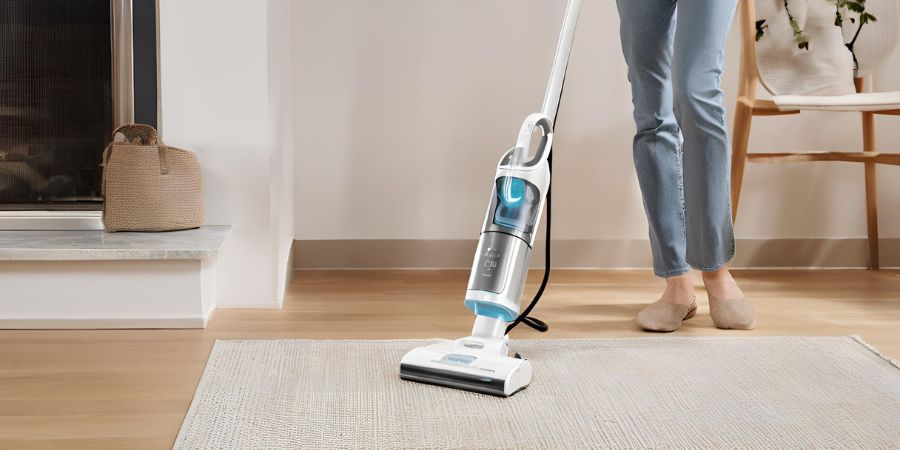
Nothing is more frustrating than reaching for your Tineco cordless vacuum and being greeted by a persistent red flashing light. If you’ve ever asked yourself, “Why is my Tineco blinking red?” you’re among thousands of owners who experience this common interruption—whether you own the A11 Hero, Pure One S11, S12, Floor One series, or any other model.
The good news: in almost every case, the red light is your vacuum’s built-in way of protecting itself, not a sign that the device is permanently broken. It’s simply alerting you to an issue that needs attention.
In this complete guide, we’ll walk you through the exact reasons behind the red blinking light, ranked from most common to rare. You’ll get clear, step-by-step fixes you can do at home in minutes, plus proven maintenance tips to prevent it from happening again. By the end, your Tineco will be back to delivering the powerful, hassle-free cleaning performance you expect. Let’s solve it—fast and for good.
Understanding the Red Blinking Light on Your Tineco Vacuum
Before we jump into fixes, it’s helpful to know what that red light means. Tineco uses LED indicators on their vacuums to show status. A solid blue light usually means everything’s good—fully charged and ready to go. But a blinking red light? That’s your vacuum’s way of saying, “Hey, something’s wrong!”
According to Tineco’s official support, the red blinking can vary by model but generally indicates errors like low power, blockages, or overheating. For instance, on the A11 series, it might flash rapidly when the battery is depleted. On the S11 or S12 models, it could point to tangled brushes or air channel issues. Think of it as your vacuum’s check engine light—ignoring it could lead to bigger problems.
Why does this happen? Tineco vacuums are designed with safety features to prevent damage. If the motor senses resistance from debris or if the battery is overheating, it shuts down and blinks red to alert you. This protects the internal components and extends the life of your device.
Common Reasons Why Your Tineco Is Blinking Red
Let’s explore the most frequent culprits behind that pesky red blink. These are based on user reports and official troubleshooting guides from sources like Tineco’s site and community forums.
1. Low Battery or Charging Issues
One of the simplest explanations is a low battery. If your Tineco has been sitting unused or if you’ve been vacuuming a large area, the battery might be drained. The red light blinks rapidly to tell you it’s time to charge.
But what if it’s already on the charger? Check for charging problems. A faulty adapter or loose connection can cause the light to blink instead of turning solid blue. Users on Amazon Q&A report that non-original chargers can lead to “fake charging,” where the vacuum thinks it’s powering up but isn’t. Also, if the battery isn’t installed correctly, models like the Pure One S11 will blink red during charging.
Example: Imagine you’ve just finished cleaning your living room, and the vacuum dies mid-task. You plug it in, but the red light keeps flashing. This could be because the charger pins aren’t making proper contact—dirt buildup is a common issue.
2. Blockages in the Air Channel or Dustbin
Blockages are a top reason for red blinking, especially if your vacuum shuts off after a few seconds. Debris like hair, strings, or large particles can clog the air pathway, reducing suction and triggering the error.
Tineco’s troubleshooting for the S12 V notes that air channel blockages cause the battery indicator to blink red. The dustbin might be full, or filters could be dirty, forcing the motor to work harder. In a Reddit thread, users shared how their A11 Hero only ran briefly before flashing red due to unseen clogs.
Have you noticed reduced suction lately? That’s a clue. Blockages not only cause blinking but can overheat the motor if ignored.
3. Tangled Brush Roller
Pet owners, this one’s for you. Hair and fibers love wrapping around the brush roller, creating resistance. When the roller can’t spin freely, the vacuum detects the issue and blinks red to prevent damage.
Official guides for models like the S12 emphasize checking for tangles. A YouTube troubleshooting video advises using a coin to unlock and clean the roller. If it’s severely tangled, the vacuum might shut off quickly, mimicking a battery problem.
Question: Does your Tineco make a strange noise before blinking? That could be the roller struggling against buildup.
4. Overheating
Vacuums generate heat during use, and Tineco models have built-in protection. If the battery or motor gets too hot—from extended use or poor ventilation—the red light blinks as a safety measure.
This is common in high-power modes or warm environments. Tineco support for the S12 V lists overheating as a cause. Letting it cool down for 30-60 minutes often resolves it.
5. Battery Installation Problems
Sometimes, it’s as simple as the battery not being seated properly. If it’s loose or not clicked in fully, the vacuum won’t power on correctly, leading to red blinking.
For the S11 series, improper installation during charging triggers this. JustAnswer experts recommend removing and reinserting the battery to reset.
6. Motor or Hardware Failure
In rarer cases, the red blink signals a deeper issue like motor failure. This might happen after a year or so of use, as reported in Reddit discussions where motors overheated or failed. Amazon answers also mention motor problems if blockages aren’t cleared promptly.
If basic fixes don’t work, it could be time for warranty support. Tineco offers a 2-year warranty, and many users get free replacements.
Step-by-Step Troubleshooting Steps for Tineco Blinking Red
Ready to fix it? Follow these steps in order. Most issues resolve within the first few.
Step 1: Charge the Battery Properly
Plug in your Tineco using the original charger. Look for the blue light indicating charging. If it blinks red, clean the charger pins with a dry cloth. Charge for 3-4 hours. Test with a spare battery if available.
Step 2: Clean Filters and Dustbin
Empty the dustbin and rinse filters under warm water (dry thoroughly before reinstalling). Use the cleaning tool for mesh filters. Dirty filters reduce airflow, causing blinks.
Step 3: Check for Blockages
Inspect the tube, inlet, and outlet for debris. Remove any clogs with a long tool or compressed air. Reassemble and test.
Step 4: Inspect and Clean the Brush Roller
Unlock the roller with a coin, cut away tangles, and clean the chamber. Rotate manually to ensure smooth movement.
Step 5: Allow the Device to Cool Down
If overheating is suspected, unplug and let it sit in a cool spot for an hour. Avoid using in hot rooms.
Step 6: Reset the Vacuum
Remove the battery for 5 minutes, then reinsert. This resets error codes, as suggested by experts.
Step 7: Contact Tineco Support
If nothing works, reach out via their website or phone (1-855-292-8864). Provide model details and symptoms—they often send replacements under warranty.
Model-Specific Issues and Tips
Different Tineco models have slight variations.
- A11 Hero/A11 Master: Often battery or motor related. Users report quick shutdowns due to overheat; new motors fix it.
- Pure One S11/S12: Focus on brush tangles and air channels. Blinking during charging? Check installation.
- A10 Series: Similar to A11, but check adapters closely.
- Wet/Dry Models like iFloor: Red lights might also indicate water tank issues, but clean sensors.
Always refer to your manual for exact indicators.
Preventive Maintenance Tips to Avoid Red Blinking
Prevention is better than cure. Here’s how to keep your Tineco running smoothly:
- Clean filters after every use and deep clean monthly.
- Empty the dustbin before it’s full.
- Cut hair from the brush roller weekly, especially with pets.
- Use only original chargers and batteries.
- Store in a cool, dry place.
- Run in auto mode to avoid overuse.
Following these can extend your vacuum’s life and minimize errors. Many users say regular maintenance prevents 90% of issues.
Conclusion
A blinking red light on your Tineco is usually fixable at home. From charging woes to simple cleanings, addressing the root cause gets you back to cleaning fast. If it’s persistent, don’t hesitate to contact support— they’re responsive and helpful. Keep your home clean without the frustration!
FAQ
What does a blinking red light mean on my Tineco vacuum?
A blinking red light typically indicates low battery, blockages, tangles, overheating, or installation issues. Check the battery first, then clean components.
How do I fix my Tineco if it blinks red and shuts off?
Start by charging fully, cleaning filters and dustbin, clearing blockages, and untangling the brush. If it persists, reset by removing the battery or contact support.
Why does my Tineco blink red while charging?
This could be due to improper battery installation, a faulty charger, or abnormal battery condition. Ensure secure connections and use the original adapter.
Is the red blinking light a sign of motor failure in Tineco?
It can be, especially if basic fixes don’t work. User reports show motor issues after a year, often covered by warranty for replacements.