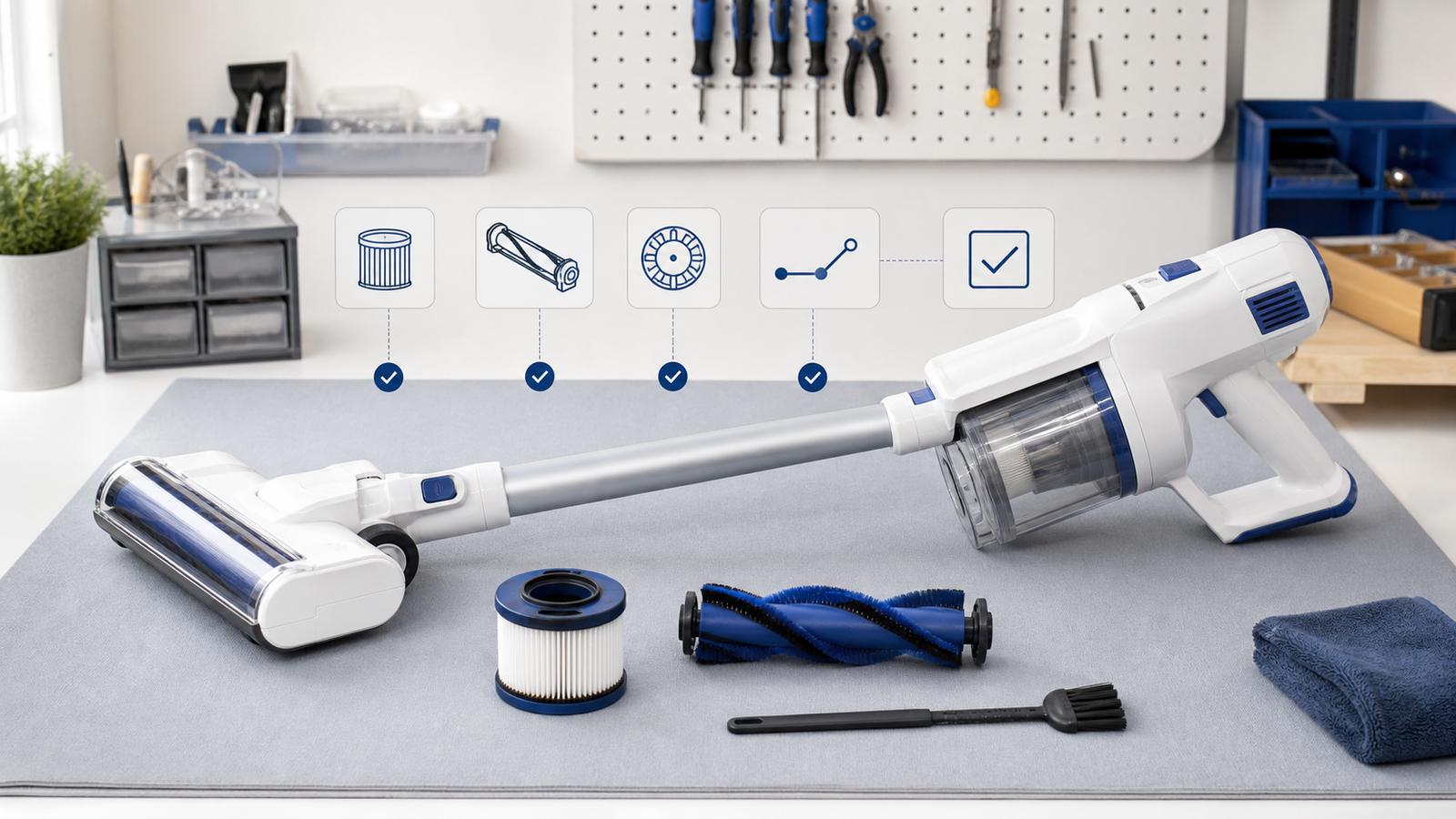
Quick Answer
Most Tineco A10 Dash troubleshooting issues — power loss, weak suction, a brush roller that won't spin, or a battery that won't charge — come down to five things: a clogged filter, a full dustbin, a jammed brush roller, a loose seal, or a battery that needs a full charge cycle. Clean the dustbin and filters, clear any blockages in the tube and brush chamber, reseat the seals, and fully charge the unit for at least 4 hours before assuming a hardware fault. If the problem persists after these checks, it's likely covered under Tineco's 2-year warranty.
Key Takeaways
- Most A10 Dash problems are airflow problems. A blocked dustbin, dirty filter, or clogged tube causes 80%+ of suction and power complaints.
- Charge fully before troubleshooting power issues. A partially charged battery can mimic a "won't turn on" fault.
- The brush roller is the #1 source of unusual noise. Hair and thread wrapped around it strain the motor and cause rattling.
- The Tineco app issues are usually Bluetooth/Wi-Fi related, not hardware failures — restarting your phone's Bluetooth often resolves pairing errors.
- Never rinse the power brush with water. Only the dustbin, mesh filter, and sponge filter are washable.
- The A10 Dash carries a 2-year warranty, and Tineco offers free-shipping replacements for qualifying issues.
- If self-troubleshooting fails, contact Tineco support directly rather than opening the motor housing yourself, which can void your warranty.
What Is the Tineco A10 Dash?
The Tineco A10 Dash is a cordless stick vacuum from Tineco's A-series lineup, built for daily hard-floor and carpet cleaning with a detachable handheld mode. Like most cordless vacuums, its performance depends heavily on unobstructed airflow — which is why the majority of "faults" reported by owners are maintenance issues rather than true defects.
Understanding this distinction matters: before assuming your unit needs a repair or replacement, a five-minute cleaning check resolves the vast majority of reported problems.
Why Does My Tineco A10 Dash Keep Losing Suction or Power?
Suction and power loss almost always trace back to restricted airflow somewhere between the floor nozzle and the motor. A vacuum's motor works by pulling air through a sealed path — if that path is blocked at any point, performance drops immediately, even if the battery is fully charged.
Check these four points in order:
- Dustbin — Press the release button on the side of the dustbin to empty it, then push the base back into place. A full or clumped dustbin is the single most common cause of weak suction.
- Filters — Remove and tap out the mesh and sponge filters. If they're visibly gray or matted with dust, rinse with cold water and air-dry for at least 24 hours before reinserting (never use a wet filter or a dryer).
- Tube and brush chamber — Detach the tube and shine a light through it to check for clogs, then check the brush chamber and dirt channel for tangled debris.
- Seals — Inspect the seal rings on the motor air inlet, dustbin cover, and mesh filter housing. A misaligned or damaged seal breaks suction even when everything else is clean.
If suction returns to normal after this cycle, no further action is needed. If it doesn't, the issue may be an internal blockage that requires Tineco support.
How Do I Fix a Tineco A10 Dash That Won't Turn On?
If your A10 Dash won't power on, don't assume the motor has failed — start with the battery and airflow path, since these cause the majority of "dead unit" reports.
Step-by-step fix:
- Charge fully for at least 4 hours. In Regular mode the A10 series is rated for up to 50 minutes of runtime and up to 14 minutes in Max mode when fully charged; a partial charge can prevent startup entirely.
- Clean the dustbin and filters as described above — some models won't power the motor if airflow is severely restricted.
- Check the power brush and tube for blockages, and remove any hair wrapped around the brush roller.
- Inspect the main body's motor air inlet for blockages and clear anything visible.
- Confirm the unit is properly assembled. The A10 Dash won't power on if the dustbin, tube, or handheld unit isn't fully clicked into place — this is a built-in safety feature, not a fault.
If the unit still won't turn on after all five checks, this typically indicates a battery or internal component issue that should be handled through Tineco's support team rather than self-repair.
Why Is My Tineco A10 Dash Making a Loud or Unusual Noise?
Unusual noise almost always comes from one of three places: the power brush/tube, the dustbin, or the main motor. Identifying which one is making the noise tells you exactly what to check.
| Noise Location | Likely Cause | Quick Fix |
|---|---|---|
| Power brush or tube | Hair, thread, or debris wrapped around the roller | Remove the roller, cut away tangled hair, clean and reinstall |
| Dustbin | Loose debris rattling inside, or a cracked seal | Empty fully, check seal ring alignment |
| Main motor | Foreign object lodged near the inlet, or a worn seal | Clear inlet, inspect seals; contact support if noise continues |
A quick safety note: unless the manual specifically instructs you to, don't press the trigger while inspecting any part of the machine — this prevents accidental startup while your hands are near the brush roller.
How Do I Clean and Remove the Brush Roller on the A10 Dash?
A tangled brush roller is the leading cause of both noise complaints and reduced pickup performance. Here's the correct process:
- Turn the brush roller upside down.
- Use a coin or similar flat tool to unlock the roller lock by turning it counterclockwise.
- Remove the lock plate from the brush roller.
- Slide the brush out of the brush holder.
- Cut away and remove any hair or debris wrapped around the roller.
- Once clean, place the brush back into the roller housing.
- Reattach the lock plate and turn it clockwise to relock.
Important: never rinse the power brush itself with water — only the dustbin, mesh filter, and sponge filter are safe to wash.
Why Won't My Tineco A10 Dash Connect to the App?
App connectivity issues are almost never a vacuum hardware problem — they're nearly always a Bluetooth or network hiccup on the phone side. Before contacting support, try this sequence:
- Confirm the vacuum is powered on and within a few feet of your phone during pairing.
- Turn your phone's Bluetooth off and back on, then reopen the Tineco app.
- Make sure you're running the latest app version (available for Android and iOS).
- Restart your phone if pairing still fails — this clears cached Bluetooth connection errors.
- Remove the device from the app and re-add it as a new device if reconnecting doesn't work.
If the app still won't detect your A10 Dash after these steps, the issue is worth reporting to Tineco support, since it may indicate a firmware update is needed.
Why Does My Tineco A10 Dash Smell Unusual When Running?
A faint "new motor" smell during the first few uses is normal and fades with time. A persistent burning smell or a musty odor, however, points to a specific cause:
- Musty or mildew smell: Usually a filter that was reinserted before fully drying after washing. Remove and air-dry for a full 24 hours.
- Burning smell: Often caused by hair or fibers wrapped tightly around the brush roller motor, creating friction. Power off immediately, unplug/remove the battery pack if possible, and clean the roller thoroughly before reuse.
- Persistent chemical smell: If it continues after cleaning and doesn't match either cause above, stop using the unit and contact Tineco support directly, since this can indicate an internal fault.
Tineco A10 Dash Maintenance Checklist (Prevent Problems Before They Start)
- Empty the dustbin after every use, not just when it looks full.
- Rinse the mesh and sponge filters every 2–3 weeks and let them air-dry fully before reinserting.
- Check the brush roller for tangled hair weekly if you have pets or long hair in the household.
- Store the unit upright on its charging dock rather than leaving it on the floor.
- Avoid vacuuming large amounts of liquid, wet debris, or fine construction dust, which can clog filters quickly.
When Should I Contact Tineco Support Instead of Troubleshooting Further?
Contact Tineco support if:
- The unit won't power on after a full 4-hour charge and a complete airflow check.
- Suction stays weak after cleaning every filter, seal, and blockage point.
- You notice a persistent burning smell that doesn't resolve after cleaning the brush roller.
- The app still won't pair after reinstalling and restarting both devices.
- Your unit is within the 2-year warranty window and the issue hasn't resolved through cleaning.
Tineco's support team can be reached by phone or email, and can arrange warranty repairs or replacements where applicable. Having a clear description of the issue — along with a photo or short video — speeds up the process significantly.