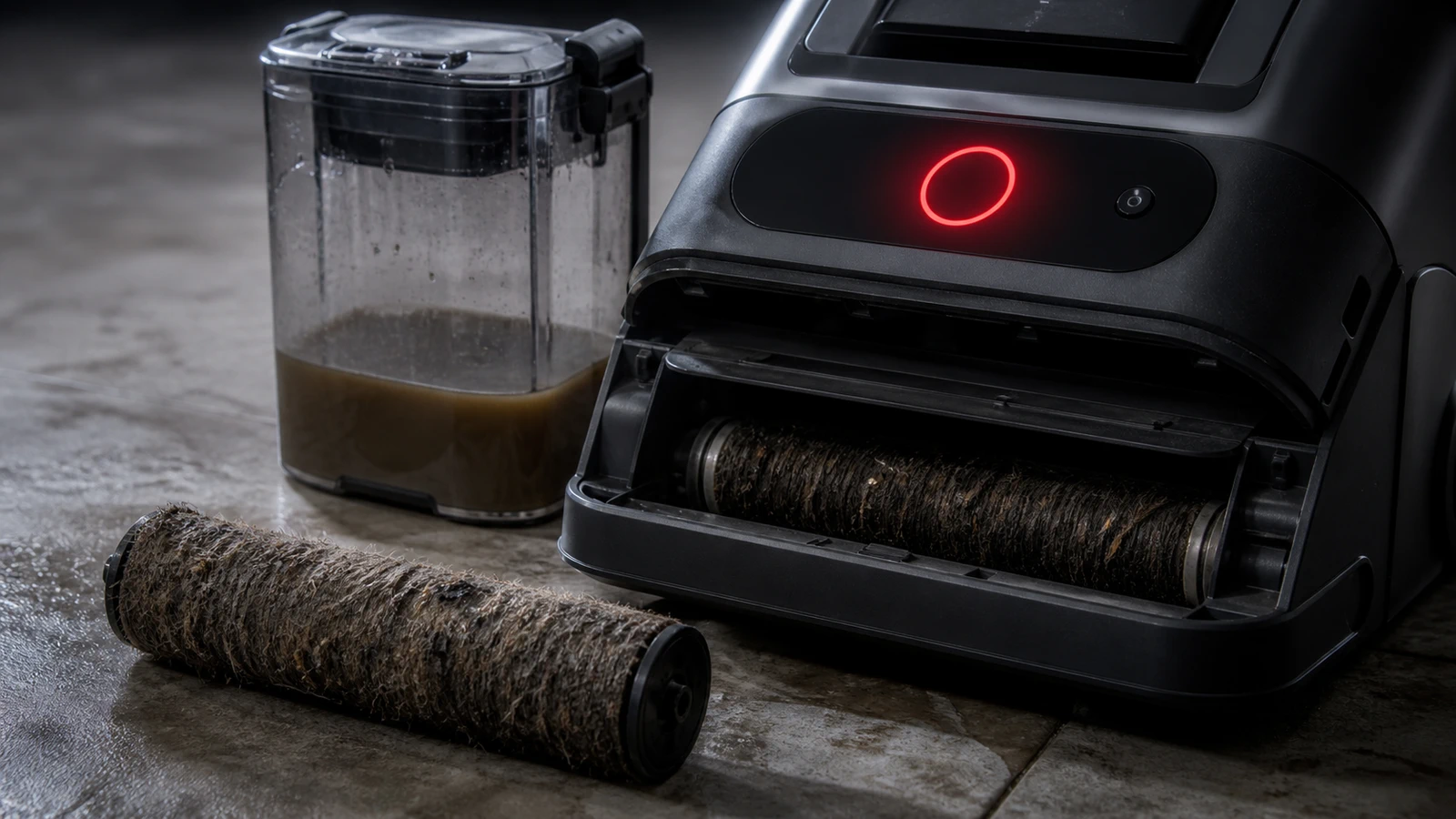
If you're asking "why is my Tineco blinking red," the short version is this: a red light is your Tineco telling you it stopped itself on purpose. It's a protection signal, not a death sentence. In most cases it means a clog in the air path, a tangled brush roller, a low or overheated battery, or a tank that isn't seated right.
The good news? Roughly four out of five red-light cases we see get solved at home in under ten minutes, with no tools and no service ticket. This guide decodes the blink, walks the fixes in the right order, and tells you the exact point where you should stop and call support.
Quick Answer (TL;DR)
Your Tineco blinks red because a safety sensor tripped. The five common causes are: (1) a blockage in the suction channel, (2) hair or debris wrapped around the brush roller, (3) a low or faulty battery, (4) overheating from a clogged filter, and (5) a dirty water tank that's full or misaligned. Fix it by powering off, emptying and reseating both tanks, clearing the roller and air channel, rinsing and fully drying the filter, then charging for 30+ minutes before restarting. If the light still blinks after a full reset, the battery or motor likely needs service.
What Does a Blinking Red Light on a Tineco Mean?
A blinking red light on a Tineco means the machine has detected a fault and shut down the motor to protect itself. Red is the universal "stop and check me" state across Tineco's lineup — FLOOR ONE, iFLOOR, PURE ONE, and the A-series stick vacuums all use it the same way.
Here's the part most articles skip: Tineco uses red in two different ways, and mixing them up sends people down the wrong rabbit hole.
Red iLoop Ring vs. Red Error Light — What's the Difference?
A red iLoop ring is normal. A red error indicator is not.
- iLoop ring glowing red (steady, while cleaning): This is the smart dirt sensor doing its job. It means the machine detected heavy soil and ramped up suction and water flow. Keep cleaning — it turns blue when the floor is clean.
- Red error icon or rapidly blinking red light: This is a fault code. The machine will usually cut power, beep, or give a voice prompt.
If your "red light" turns blue after a few passes over the same spot, you don't have a problem. You have a working dirt sensor.
What Are the Most Common Reasons a Tineco Blinks Red?
The five causes below account for the overwhelming majority of red-light complaints across Tineco models.
| Cause | What you'll notice | Typical fix time |
|---|---|---|
| Air channel blockage | Weak or no suction, whining motor, blink after a few seconds | 5–10 min |
| Brush roller jammed | Roller won't spin, burning smell, hair visible at the ends | 5 min |
| Low or faulty battery | Rapid red blink, dies instantly, won't hold charge | 30 min–replace |
| Overheating | Blink after 10–20 min of use, hot casing, dirty filter | 30–60 min cooldown |
| Tank issue (DWT/CWT) | Blink at startup, no water, gurgling | 2 min |
Why Is My Tineco Blinking Red After Charging?
If your Tineco blinks red right after a full charge, the battery usually isn't the problem — the trigger safety circuit is. A machine that shows full battery bars but flashes red the moment you pull the trigger is almost always reporting a blockage or a part that isn't seated correctly.
This is the single most misdiagnosed Tineco issue. People buy a replacement battery for a $0 problem.
Real-world scenario: A common one is the "I just cleaned the filters" case. Someone rinses the filter, reinstalls it slightly off-center or still damp, and the machine reads restricted airflow as a fault. Reseat the filter dry and correctly, and the red light disappears.
Check these in order:
- Is the filter completely dry and clicked fully into its holder?
- Is the dirty water tank latched with the seal seated flat?
- Is the brush roller cover locked (not just resting in place)?
- Is anything lodged in the suction inlet at the floor head?
Why Is My Tineco Flashing Red While Charging?
A red blink during charging points to a charging-circuit fault: a bad connection, the wrong adapter, or a battery outside its safe temperature range. Lithium-ion cells refuse to charge when they're too hot or too cold, and the machine reports that refusal as a red light.
Try this:
- Use only the original Tineco adapter — third-party chargers frequently trip the fault.
- Wipe the dock and battery contacts with a dry cloth.
- Let the unit sit at room temperature (roughly 60–80°F) for an hour, then retry.
- Test a different wall outlet, bypassing power strips.
If the light stays red on the dock after all four, the battery pack or charger is likely failing.
How Do I Fix a Tineco That's Blinking Red? (Step-by-Step)
To fix a Tineco blinking red, work through this sequence in order — it moves from most common cause to least, so you rarely need to finish it.
- Power off and unplug. Never poke around a machine that can start. Take it off the dock.
- Empty both tanks. Dump the dirty water tank, rinse it, and check the clean water tank level. Reseat both until they click.
- Pull and clear the brush roller. Lift the cover, remove the roller, and cut away wrapped hair with scissors or the included cleaning tool. Check both end caps — that's where hair binds the shaft.
- Clear the suction channel. Look into the floor-head inlet and the tube. A wadded paper towel or a chunk of pet food is the usual culprit.
- Rinse the filter — then dry it completely. Air-dry for at least 24 hours. A damp filter chokes airflow and re-triggers the fault immediately.
- Let it cool. If the body feels warm, give it 30–60 minutes before restarting.
- Hard reset. Remove the battery (or leave the unit off the dock) for 5 minutes, then reassemble and power on.
- Charge fully. Give it 30+ minutes on the dock, then test.
- Run a self-clean cycle on the dock to flush the internal tubing and roller.
Pro tip from the field:
Do step 5 the night before. The number one reason this sequence "doesn't work" is people reinstalling a filter that's still slightly damp and testing 20 minutes later.
How Do I Reset a Tineco Vacuum?
To reset a Tineco, turn it off, disconnect it from power or remove the battery, wait five full minutes, then reassemble and power on. There's no hidden reset button on most models — the power cycle is the reset.
On models with removable battery packs, pulling the pack clears the fault memory more reliably than simply switching off.
Why Does My Tineco Blink Red and Shut Off Immediately?
If your Tineco blinks red and dies within a few seconds, you're looking at either a hard blockage or a battery that can't deliver current under load. The distinction is easy to test.
- Runs fine with the floor head removed? It's a blockage in the head or roller.
- Blinks red even with nothing attached? It's the battery, motor, or main board.
- Runs 30 seconds then blinks? It's thermal — clogged filter or overheating battery.
What If All the Lights Blink Together?
All indicators blinking simultaneously typically signals a motor malfunction, and that one isn't a DIY fix. Stop troubleshooting and contact Tineco support with your serial number — continuing to run it risks further damage.
Tineco Red Light Meanings by Model Family
Red means roughly the same thing across models, but the display differs. Here's how to read yours.
FLOOR ONE and iFLOOR (Wet-Dry Vacuums)
These use icon-based displays. Red or blinking icons map to specific parts:
- Dirty water tank icon blinking: Tank is full or unseated. Empty and reseat.
- Self-clean icon blinking: Brush roller is dirty. Dock it and run self-clean.
- Brush/MAX light blinking: Roller is jammed or the motor is straining.
- Battery icon blinking red: Low charge. Dock it.
PURE ONE and A-Series (Stick Vacuums)
On PURE ONE S-series and A-series units, a blinking red light generally indicates a blocked air channel, a tangled brush roller, overheating, or a charging fault. Some models add a rapid red blink specifically for a depleted battery — the fastest blink usually means "charge me now."
Note:
Blink patterns and icon layouts vary by model and production year. Your printed manual's troubleshooting table is the authoritative source for your exact unit — check it before ordering parts.
What Mistakes Make the Red Light Come Back?
The red light returns because most people fix the symptom, not the cause. These five habits are why.
- Reinstalling a damp filter. The most common repeat offender by far.
- Rinsing the roller but not the tubing. Run the self-clean cycle; hand-rinsing misses the internal channel.
- Storing it with dirty water in the tank. This breeds gunk that clogs sensors and smells.
- Using non-Tineco cleaning solution. Foamy detergents can trip the float sensor and confuse the machine.
- Storing it off the dock for weeks. Lithium batteries degrade faster at deep discharge, which shows up as premature red-light faults.
An Honest Take on the Battery Question
Here's an opinion you won't get from a manual: if your Tineco is past three years old and blinks red under load despite showing a full charge, the battery is the prime suspect — not the motor. Lithium-ion packs lose their ability to deliver peak current long before they lose the ability to show full bars. A battery can read 100% and still fail the instant the motor demands power.
That's why the "full charge but instant red blink" pattern is so confusing. The gauge measures voltage at rest; the motor needs current under load. Those are different things.
A replacement battery typically costs a fraction of a new machine, which makes it worth trying before you replace the unit.
When Should You Contact Tineco Support?
Contact Tineco support when the red light persists after a full clear-and-reset cycle, when all lights blink together, or when you smell burning. Those three point to internal faults that aren't user-serviceable.
Before you call, have ready:
- Your serial number (usually under the handle or near the battery)
- Proof of purchase — Tineco's limited warranty generally runs two years from authorized retailers
- A short video of the blink pattern, which speeds up diagnosis dramatically
Key Takeaways
- A blinking red light on a Tineco is a protective shutdown, not a failure — the machine stopped itself to prevent damage.
- A steady red iLoop ring is normal; it means the dirt sensor detected heavy soil. Only blinking red or a red error icon is a fault.
- The five usual causes: air channel blockage, jammed brush roller, low/failing battery, overheating, and an unseated or full dirty water tank.
- Fix it in order: power off → empty tanks → clear roller → clear air channel → dry the filter fully → cool down → 5-minute reset → recharge.
- A damp filter is the #1 reason the red light comes back after a "successful" fix. Air-dry 24 hours.
- Full charge but instant red blink on a 3+ year-old unit usually means a worn battery, not a dead motor.
- All lights blinking at once = motor fault. Stop and contact support with your serial number.
Frequently Asked Questions
Why is my Tineco blinking red?
Your Tineco blinks red because a safety sensor detected a fault and shut the motor down. The most common causes are a blockage in the air channel, a tangled brush roller, a low battery, overheating, or a dirty water tank that's full or not seated properly. Clearing the blockage and reseating the tanks resolves most cases.
How do I stop my Tineco from flashing red?
Power it off, empty and reseat both tanks, remove hair from the brush roller, clear the suction channel, and let the filter dry completely before reinstalling. Then remove the battery for five minutes to reset it and recharge fully. If it still flashes red, the battery or motor needs service.
Hey Google, why does my Tineco vacuum turn red when I clean?
A red glow while you're cleaning is usually normal. Tineco's iLoop dirt sensor turns the ring red when it detects heavy dirt and boosts suction automatically, then shifts to blue once the area is clean. Only a blinking red light or a red error icon indicates a real problem.
Why is my Tineco blinking red when it's fully charged?
A red blink at full charge points to a blockage or a part that isn't seated correctly, not the battery itself. Check that the filter is dry and clicked in, the brush cover is locked, and the dirty water tank is latched. On older units, it can also mean the battery can't deliver current under load even though it reads full.
Do I need a new battery if my Tineco keeps blinking red?
Not necessarily — try the full clear-and-reset sequence first, since blockages and damp filters cause most red lights. If the machine is over three years old, shows a full charge, and still blinks red the moment the motor engages, a worn battery is the likely cause. A replacement pack costs far less than a new machine.
Can I keep using my Tineco while it's blinking red?
No. The red light means the machine has shut down to protect the motor and battery, and forcing repeated restarts can cause permanent damage. Diagnose and clear the fault first, and stop immediately if you notice a burning smell or all indicators blinking together.